Wednesday, October 13, 2010

week 8 projects


In these pictures I used watched a tutorial on how to change the background of different pictures and put them into others. Like having an original picture and placing a different in it as a background. Here is the site where I watched this http://www.schooltube.com/videosearch?q=photoshop&search-submit=Search


 With this picture I watched a 3D tutorial and that's what kind of picture I made. I went to google and found a picture of a professional hockey team and turned it into a 3D looking picture. I watched this tutorial at http://www.planetphotoshop.com/ and clicked on the 3D one.

Thursday, October 7, 2010

Text pictures


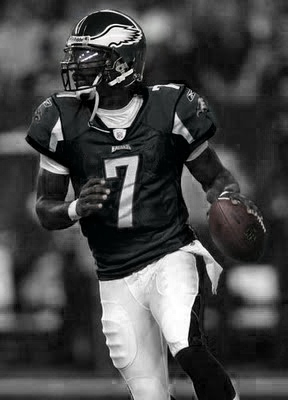
For the first picture in here I used the magic wand tool then I went to paths in iphoto and went to make a work path, so as you can see my letters are around the football. With the next two pictures I just put them in iphoto and used the freedom pen tool and drew a line across the screen where I wanted the text to be, then I went to the text tool and just wrote my text across the line where I wanted.

Black and white pics- text pictures


With these pictures I used the top bar in iphoto and i clicked on image and I went to adjustments then I went to the black and white tool. Once I got there I used the eraser tool and I erased where I wanted there to be a little bit of color.

Friday, October 1, 2010

We took this picture at the football field and found a picture of the Fonzie on google and just used the clone tool to put it in this picture.


Again, this was taken at the football field and I used the layers part in photoshop and changed the background of the picture.


When we were taking pictures we found this little guy just sitting underneath the seat he is sitting in now, so we got him from under the seats and took pictures of him. I used the layers tool again and then the text tool in photoshop to write his name everywhere.

Wednesday, September 29, 2010

This picture was on angel that we had to change. The car used to be orange but we had to change the car to black and change the background a little bit as well.

Wednesday, September 22, 2010

Panoramas


With this panorama i took 5 photos of the football field and then I put the pictures into photoshop and clicked on a different layout for the panorama and then the images merged together.


This picture was one that Mr. Peterson already had and I just went in and changed a few things such as the color of the sky and the road in front of the people and then kinda redid the black on the people's clothes.

Thursday, September 16, 2010

week 4-clone tool


These are some pictures I did using the Clone tool on photoshop. What you do using this tool is you click on the center of a face of another picture and you click on the picture you want to change and you start outlining the face of the picture.