Wednesday, September 8, 2010
week 3 pictures-placing pictures
What I learned this week with these pictures was how to find different texture backgrounds and place them into a different photo and make the picture look old or rusty or just different things like that. So here are a few pictures I made using the texture backgrounds and placing them into pictures.
Thursday, September 2, 2010
Week two photo concepts
The first picture I took I had Blake in it and i used the rule of thirds. The next picture down I de-cluttered my background by taking the picture of the basketball up close so that my background looked faded out. I took the next one of Daniel showing action as he is sprinting to run his 40 yard dash. The picture of the eagle head is the new paint job on our crows nest at the football field and I centered it in my picture for the center of interest. The picture out of the Granada's wind shield is me using the foreground to frame my picture, I took the picture out of the wind shield and you are focused on the other cars not where i took the picture from, and that's how I used foreground to frame my photo. Next with the Honda name I filled the frame using the entire name to take up mostly the whole picture. After the Honda picture I have my picture of lines that I used to lead the eye. This picture just uses the lines to take your eye and focus into the distance. Once again I used the Granada for my angle of perspective picture. I took the picture at a different and ordinary angle and I tried to make it look older than it appears.
Thursday, August 26, 2010
Week one projects
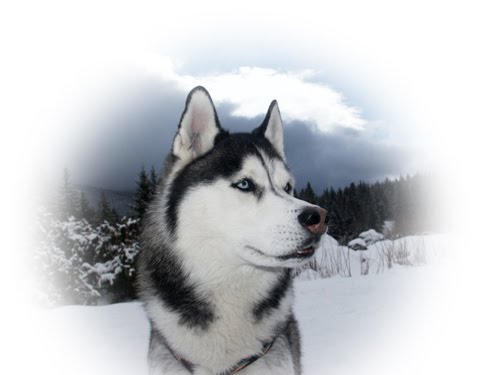
I found this picture on google and I used the circle tool in photoshop and then just softened the edge.
I found this one on google and what i did i outlined Fat Albert and then I got another picture and placed him in the background of the picture of Staples Center.
This one again i found on google. I kind of did the same thing with this one as like the Allen Iverson picture, just outlining the outer part of the flower and changing the background using the paint bucket tool in photoshop.
I found this one on google and what i did i outlined Fat Albert and then I got another picture and placed him in the background of the picture of Staples Center.
This one again i found on google. I kind of did the same thing with this one as like the Allen Iverson picture, just outlining the outer part of the flower and changing the background using the paint bucket tool in photoshop.
Subscribe to:
Posts (Atom)